Attention: Here be dragons
This is the latest
(unstable) version of this documentation, which may document features
not available in or compatible with released stable versions of Godot.
Checking the stable version of the documentation...
Android Studio
Android Studio is a free IDE for Android development made by Google and JetBrains. It's based on IntelliJ IDEA and has a feature-rich editor which supports Java and C/C++. It can be used to work on Godot's core engine as well as the Android platform codebase.
导入项目
From the Android Studio's welcome window select Open.
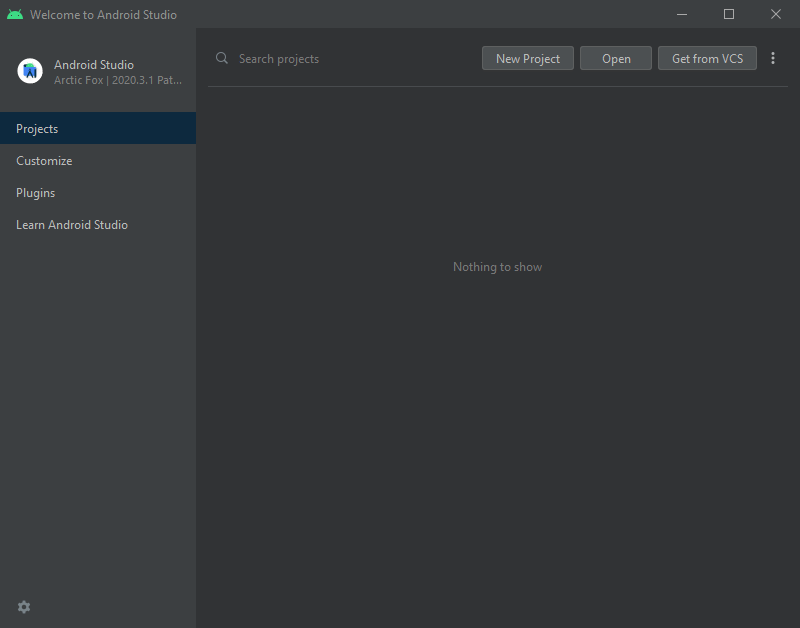
Android Studio 的欢迎界面.
导航到
<Godot根目录(Godot root directory)>/platform/android/java并选择settings.gradle文件.Android Studio 将导入项目并为其编制索引.
Android Studio 项目结构
你可以使用 Android Studio 4.1或更高版本 进行安装:
libmodule:- 导航到
<Godot根目录(Godot root directory)>/platform/android/java并选择settings.gradle文件 the Godot java and native code and make it available as a reusable dependency / artifact.
- 导航到
The artifact generated by this module is made available for other Android modules / projects to use as a dependency, via MavenCentral.
editor模块:- 位于
<Godot 根目录>/platform/android/java/editor中,这就是一个应用程序模块, 存放的是 Godot Editor 的 Android 移植版的源代码。
- 位于
这个模块依赖于
lib模块。
app模块:- 位于
<Godot 根目录>/platform/android/java/app中,这就是一个应用程序模块, 存放的是 Android 构建模板的源代码。
- 位于
这个模块依赖于
lib模块。
编辑器模块的构建与调试
- 要构建
editor模块: Select the Run/Debug Configurations drop down and select
editor.
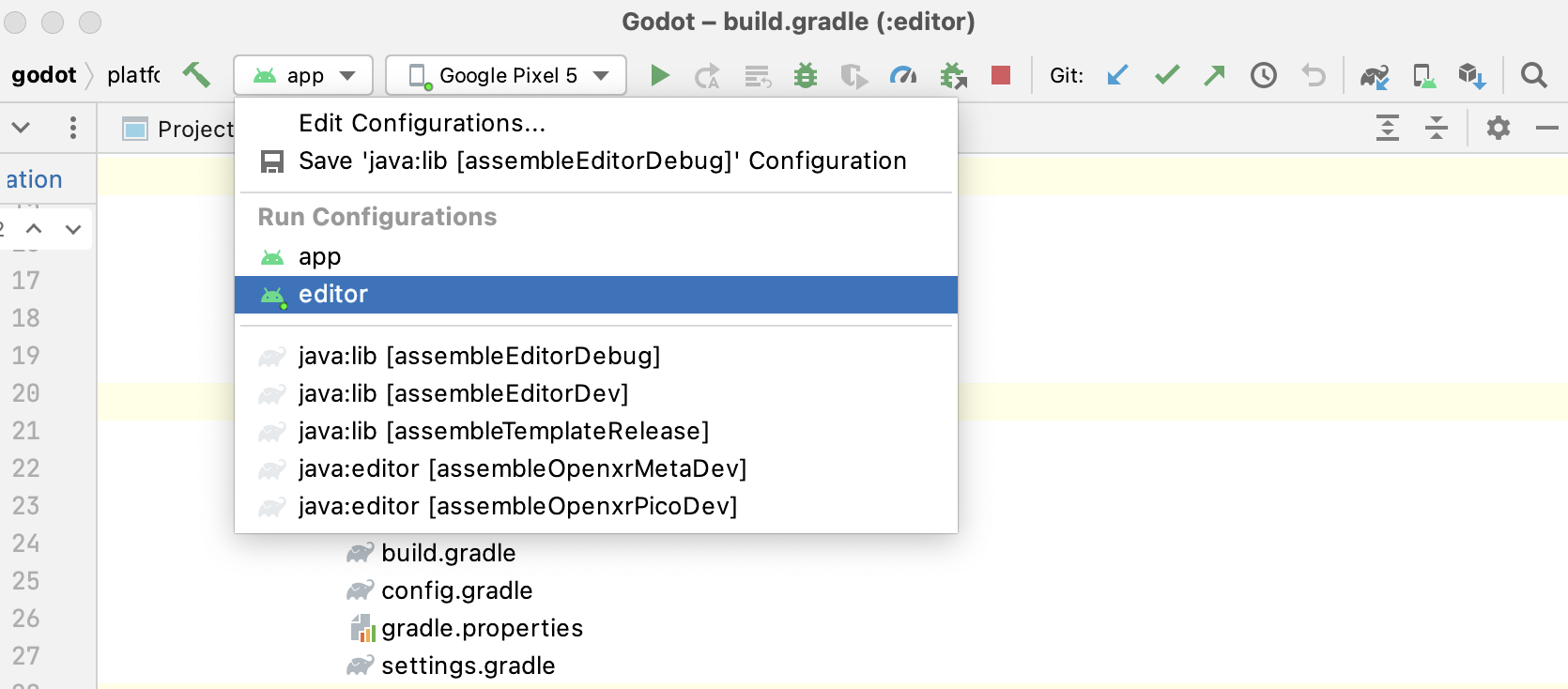
Select Run > Run 'editor' from the top menu or click the Run icon.
- 要构建
- 要调试
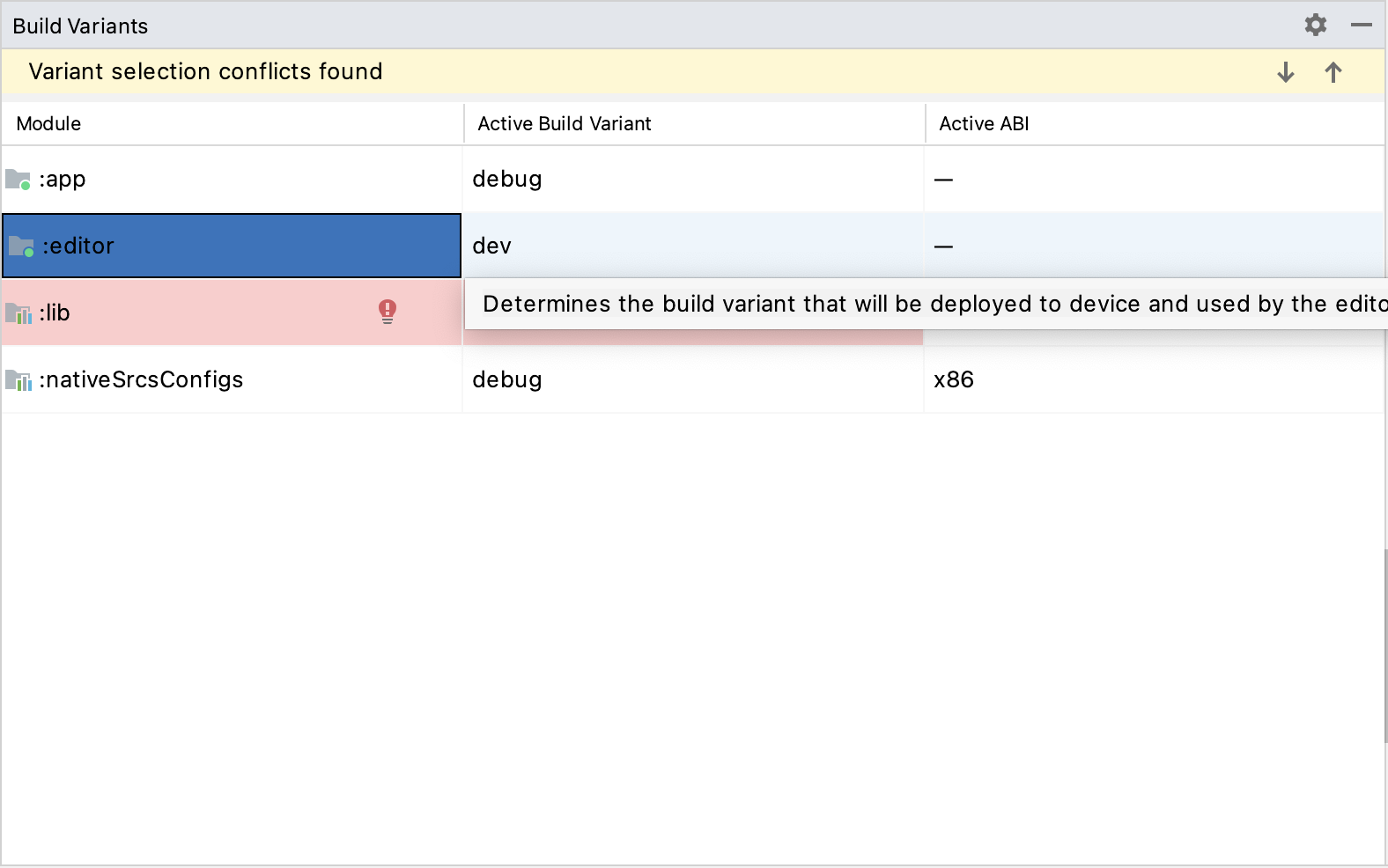
editor模块: Open the Build Variants window using View > Tools Windows > Build Variants from the top menu.
In the Build Variants window, make sure that in the Active Build Variant column, the
:editorentry is set to dev.
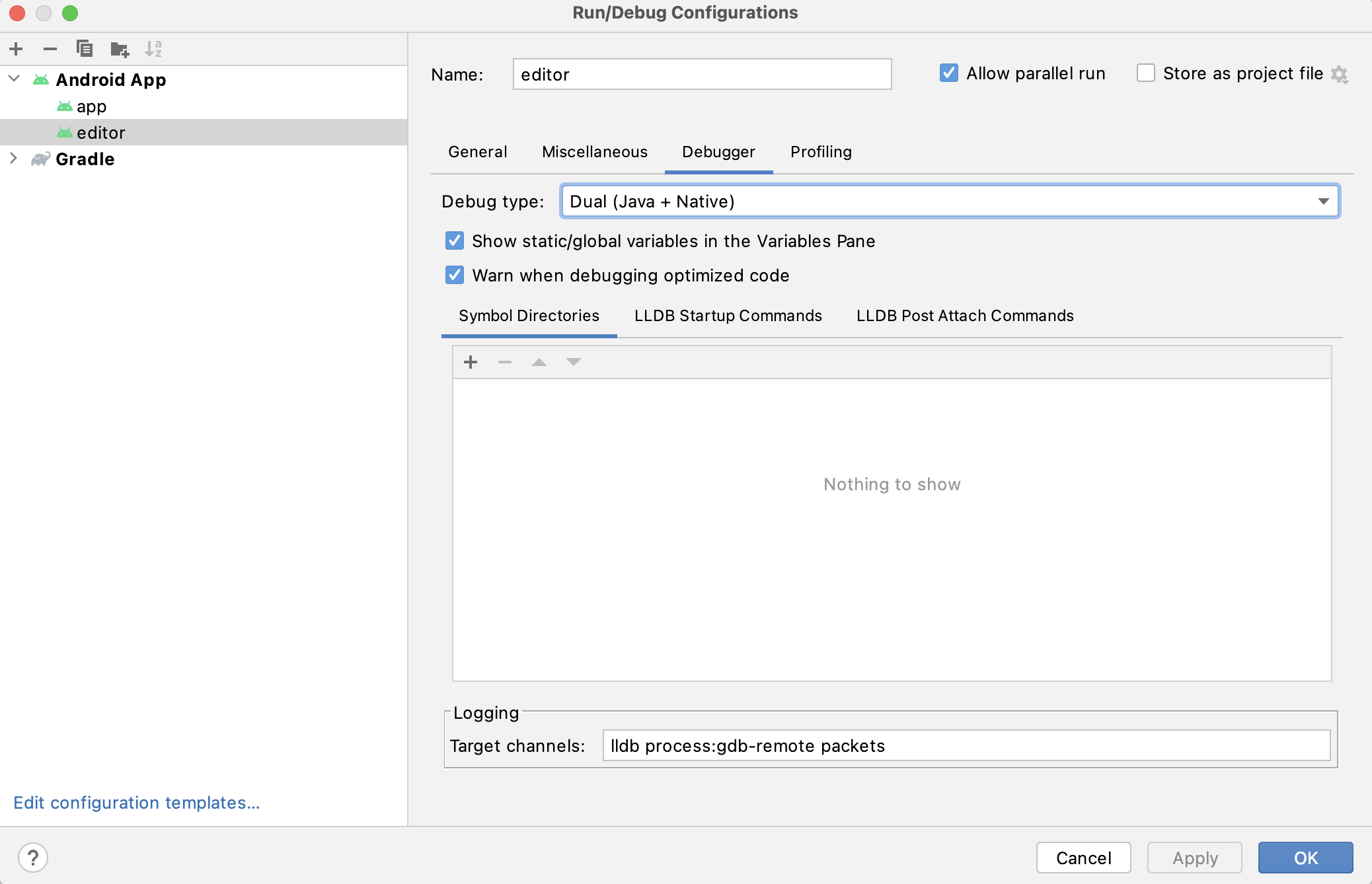
Open the Run/Debug Configurations window by clicking on Run > Edit Configurations... on the top menu.
In the Run/Debug Configurations window, select the
editorentry, and under Debugger make sure the Debug Type is set toDual (Java + Native)
Select Run > Debug 'editor' from the top menu or click the Debug icon.
- 要调试
应用模块的构建与调试
The app module requires the presence of a Godot project in its assets directory (<Godot root directory>/platform/android/java/app/assets) to run.
This is usually handled by the Godot Editor during the export process.
While developing in Android Studio, it's necessary to manually add a Godot project under that directory to replicate the export process.
Once that's done, you can follow the instructions below to run/debug the app module:
- To build the
appmodule: Select the Run/Debug Configurations drop down and select
app.
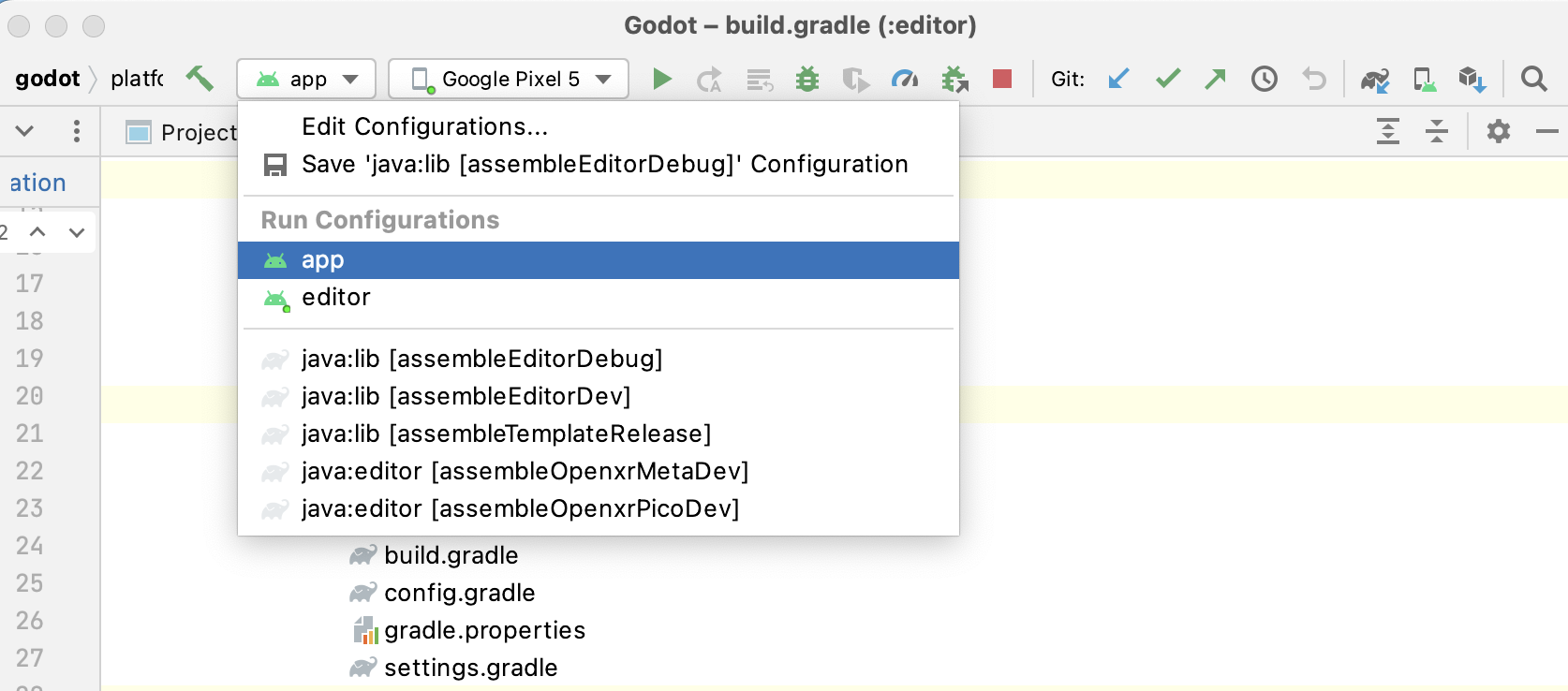
Select Run > Run 'app' from the top menu or click the Run icon.
- To build the
- To debug the
appmodule: Open the Build Variants window using View > Tools Windows > Build Variants from the top menu.
In the Build Variants window, make sure that in the Active Build Variant column, the
:appentry is set to dev.
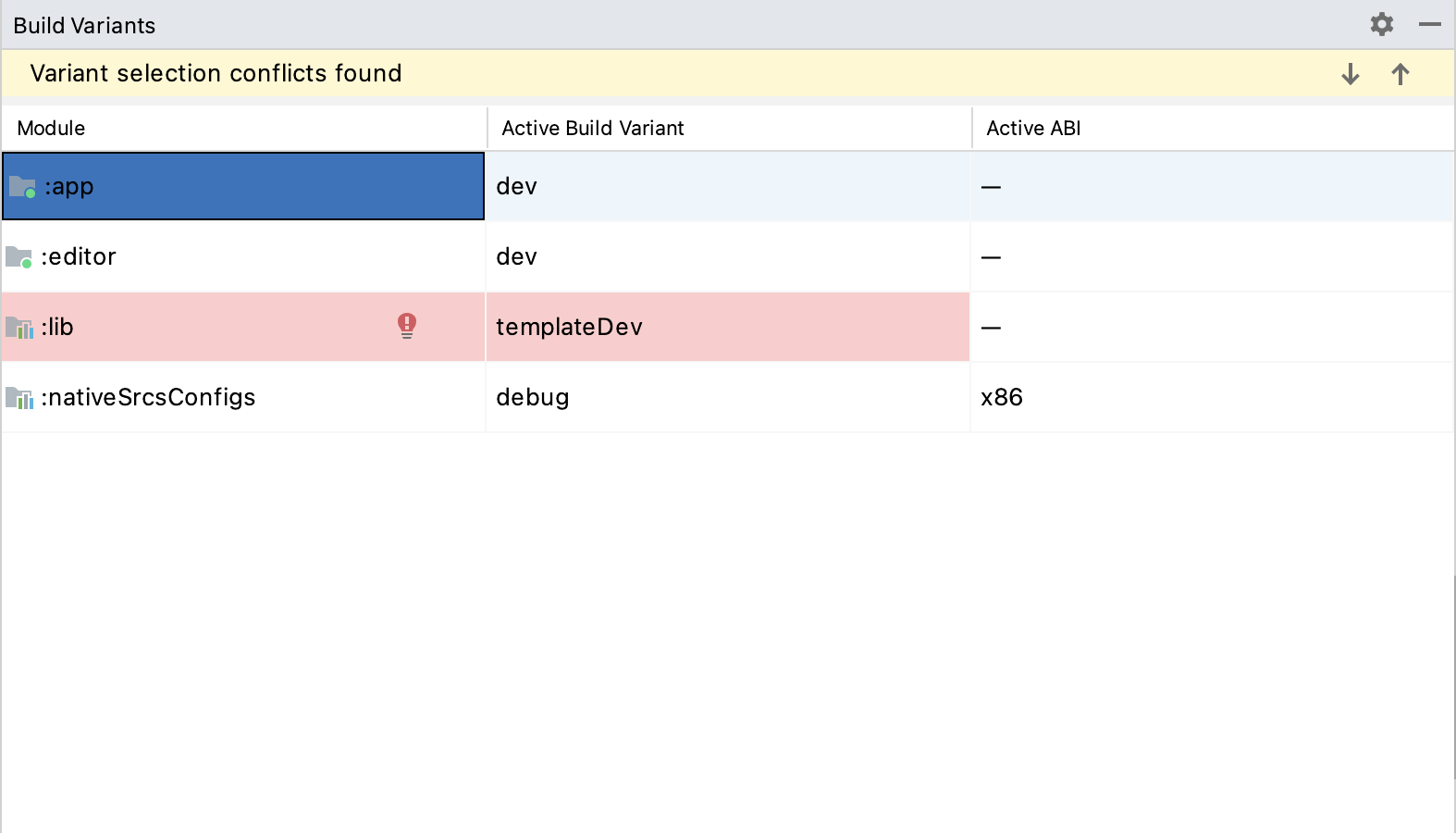
Open the Run/Debug Configurations window by clicking on Run > Edit Configurations... on the top menu.
In the Run/Debug Configurations window, select the
appentry, and under Debugger make sure the Debug Type is set toDual (Java + Native)
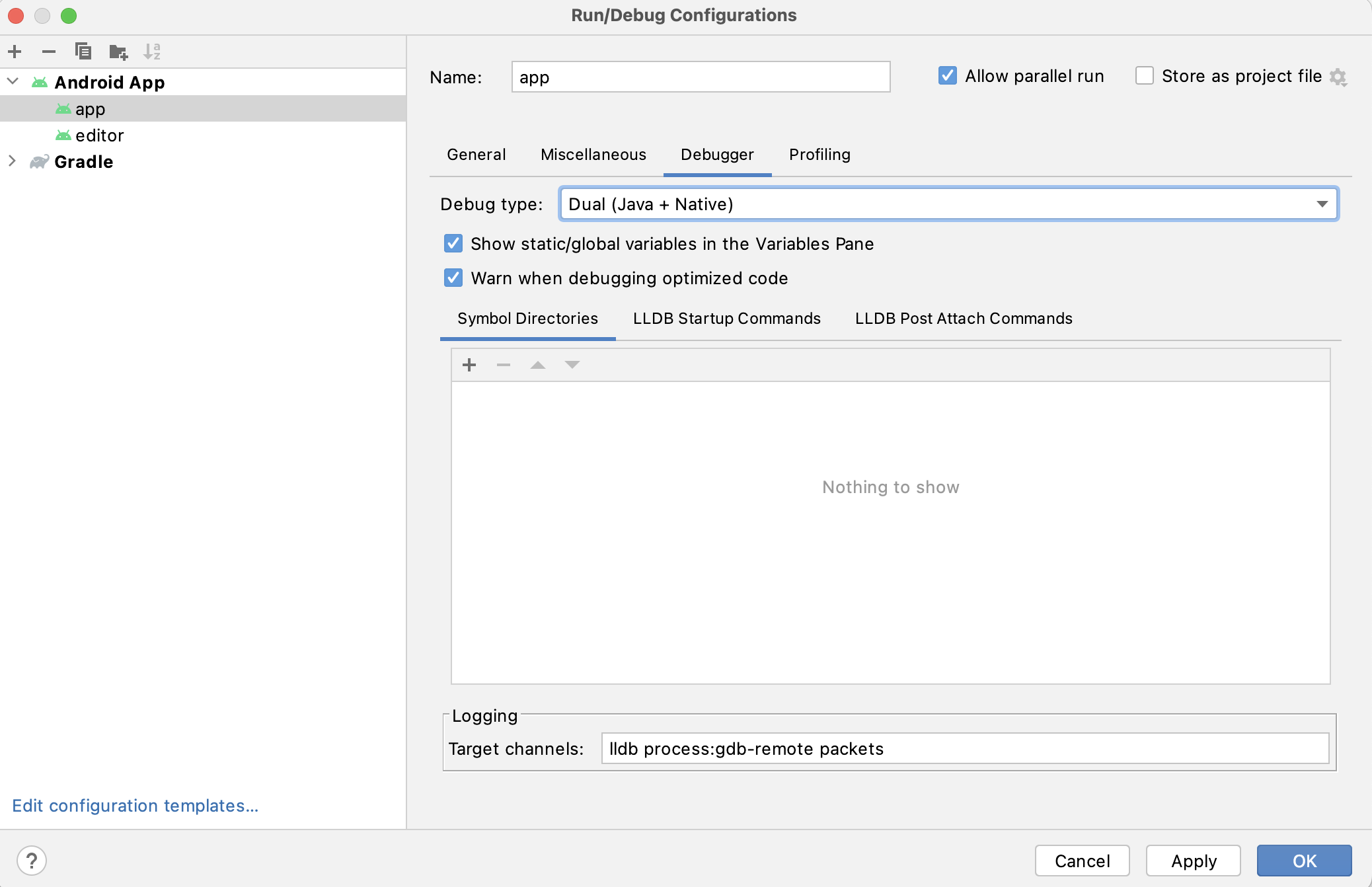
Select Run > Debug 'app' from the top menu or click the Debug icon.
- To debug the
If you run into any issues, ask for help in Godot's Android dev channel.